Connected by default
Authentication, data access, and services work together out of the box — eliminating glue code.

A deploy platform for apps, with built-in auth, hosting, and integrations.
Authentication, data access, and services work together out of the box — eliminating glue code.
No separate application stack or environments to manage — focus on building and shipping instantly.
Use governed data, models, and permissions your platform already runs on for seamless access.
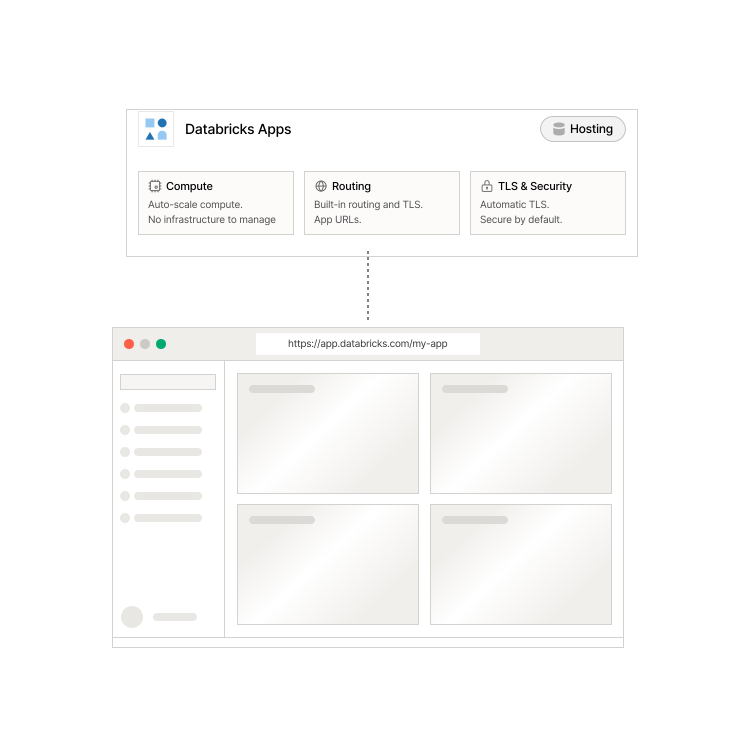
Apps run inside your workspace — no infrastructure to manage and no separate hosting to maintain.
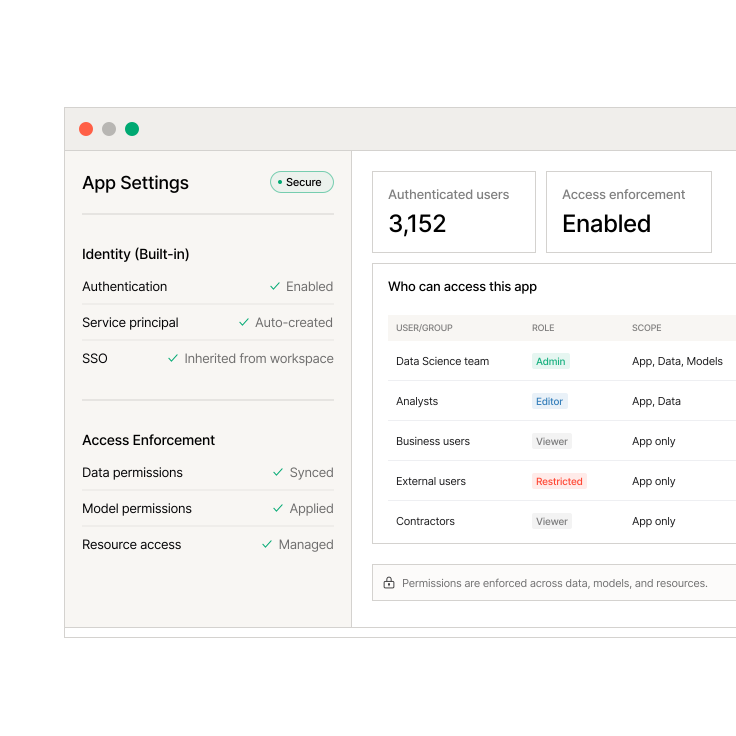
Identity flows through your app — no separate auth system to build or permissions layer to manage across data, models, and services.
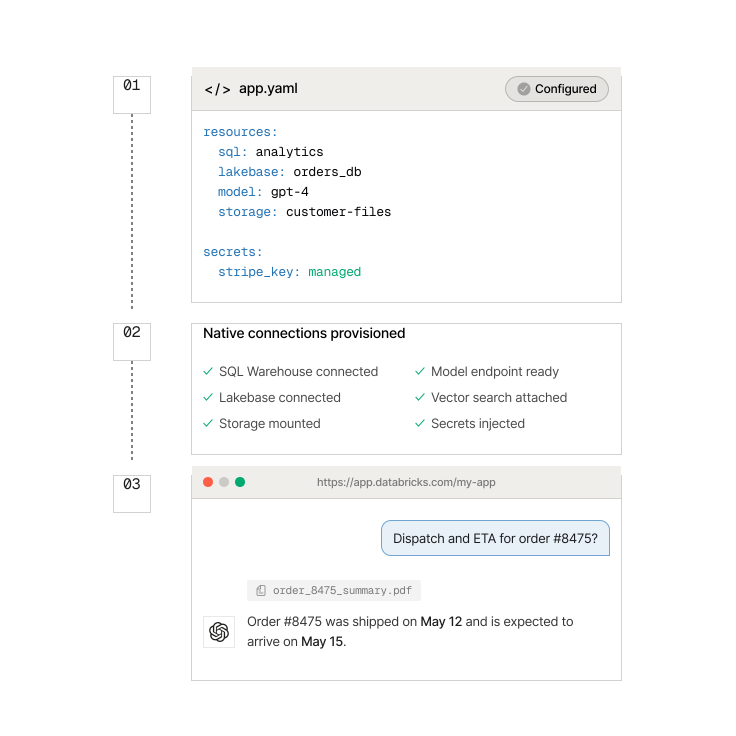
Declare dependencies once — no API keys to manage or services to wire together across environments.
Custom tools and dashboards built directly on warehouse data and metrics.
Chat interfaces over documents, structured data, or a combination of both.
Interfaces to monitor, debug, and manage AI agent workflows and actions.
Simple applications for running models with real inputs and displaying outputs.
Low-latency applications powered by operational data and continuously updated systems.
Internal CRUD tools for managing data, users, and business operations.
Applications that combine analytics, models, and user interaction in one place.
Tools that trigger jobs, manage approvals, and automate business processes.

"Databricks Apps helped me turn my RAG proof of concept into a polished and branded application. We built a RAG system to answer user questions by utilizing our company's extensive knowledge base."
Heather Gomer, Senior Data Scientist

"The seamless integration of Databricks Apps into our DevOps processes enables us to quickly demonstrate and test new features with users while also providing a secure, production-ready front end for the internal application — all without needing additional infrastructure."
Lukas Heidegger, Data and MLOps Engineer

"By using Databricks Apps, we saved many rounds with the security and infrastructure team and were able to instantly share our app with stakeholders in production."
Cesar Augusto Charalla Olazo, Senior Machine Learning Engineer
Databricks Developer Hub